Warhammer 40000 counter
I’ve created a simple counter for warhammer 40k tabletop games, based on similar physical counter
Preface
Things turn out pretty well, I’ve had few iterations of games and continue to improve it. But now you can use it.
Here I’ll post instructions on how to use my counter. And with each new iteration I’ll post CHANGELOG posts. You can request some features using contact form on my website (I’ll add the link here later).
It’s pretty straightforward, so no need to make long explanation (even though some people would love it).
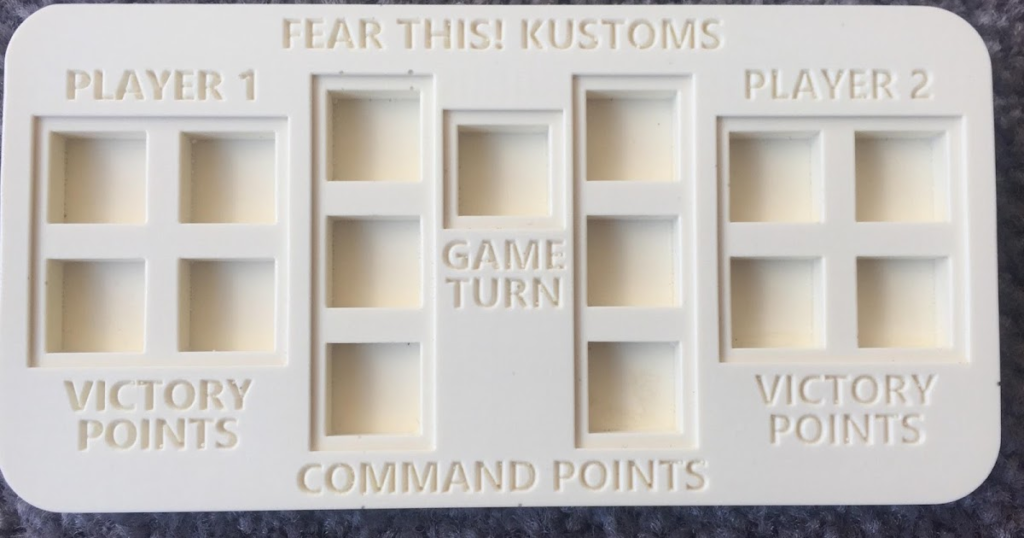
The interface is really simple and I thought of the physical counters like the on top image. So I ended up with this look:
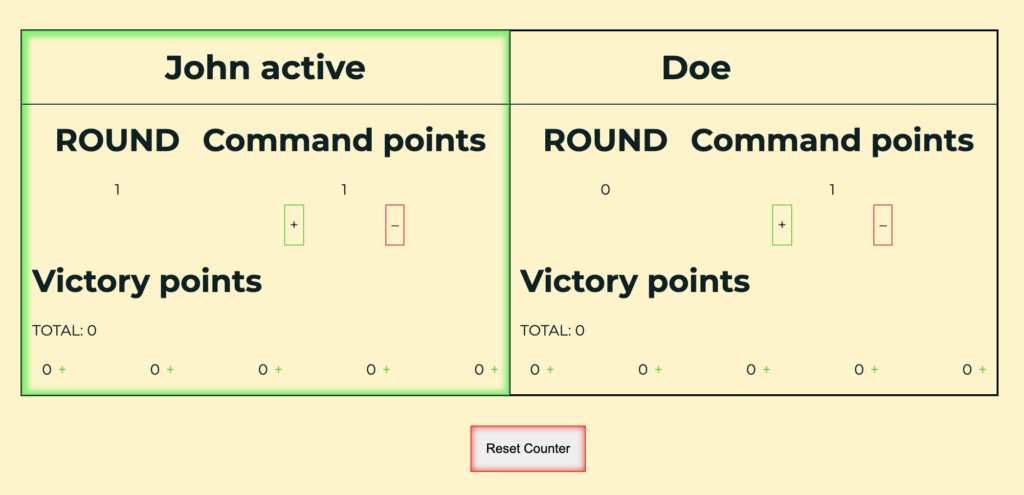
I added some things, that I think people may need (if not – feel free to reach out to me and I’ll fix that). So in each of player’s card you can see:
- Header part
- Player’s name
- if player is active or not
- Content part
- Current round
- Command points
- “+” – add CP button
- “-” – remove CP button
- Victory Points
- VP total
- VP for each round with possibility to add
- Reset button
Wh40kounter has it’s own Controls sections, so that you can check it right there in case you’ve forgot something. Here’s how it looks:
- Active player’s card lighted in green and marked as Player_name active
- To add or remove CP press “+” or “-” button under the CP counter
- To add VP press “+” button near each round counter (starting from left)
- Press SPACE to switch players/rounds (in case of the second player)
- To reset the counter press “Reset Counter” button
- At the beginning of each player turn each player gets 1 CP according to rules
But let get to…
How it (actually) works
But before we begin, let me remind you that you can any type of feedback appreciated and most of the feature requests will be fulfilled.
When you open wh40kounter link remember one rule – do not update page. Well, if you don’t want to all your progress dissapear, of course. First thing you’ll see is a dialog form that greets you and your opponent and proposes you to enter your names. I did this as a required step, so you cannot use application without a name. But I don’t collect your data and it doesn’t check if the name is actual name and not something like kesidfusjdknsdf.
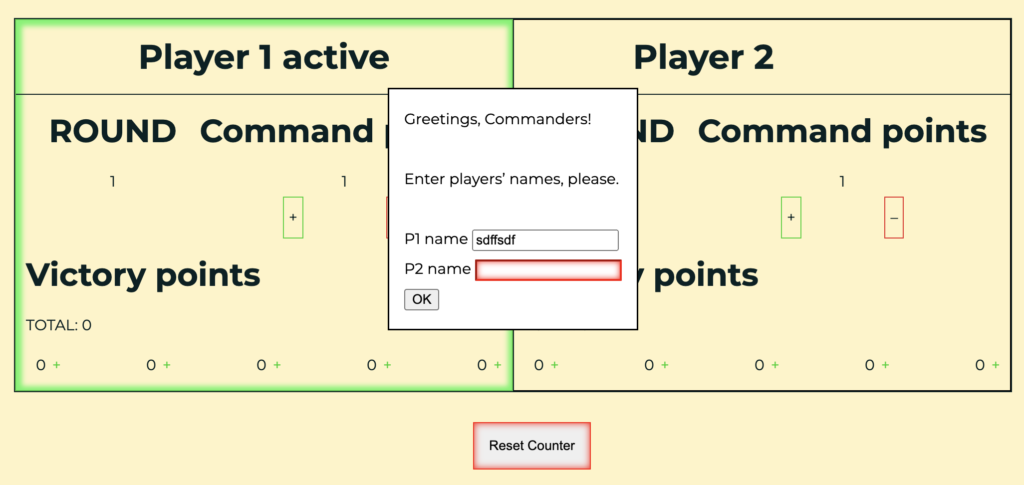
After entering names and pressing OK button (pressing ENTER on your keyboard would work too) you would see the counter itself with the first player active (you may notice his card also highlighted with green). According to official rules of warhammer 40k each player starts with 1 CP and each turn gains 1 CP.
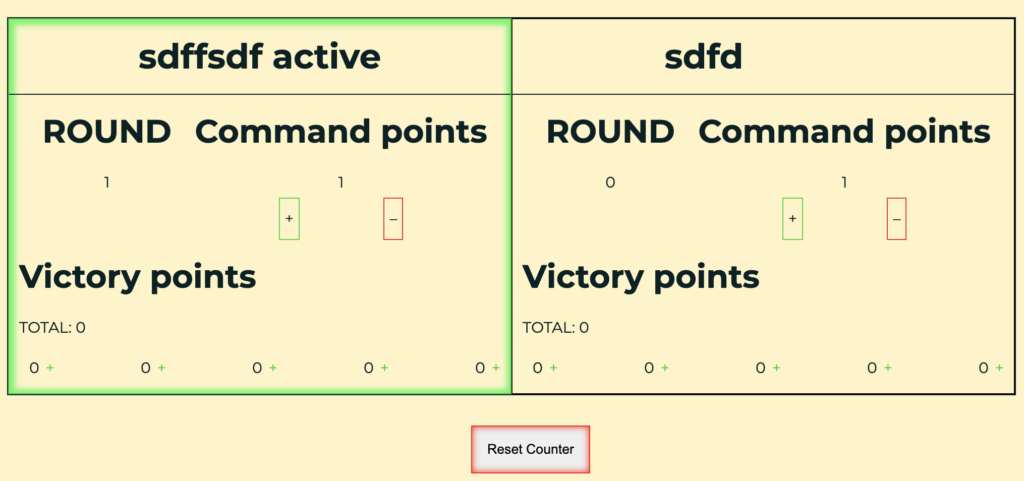
At this point you can add or remove CP pressing “+” and “-” buttons under “Command points” label, you also can add VP under “Victory points” label. Don’t know why I haven’t done remove VP button, looks like there was some reason for this, but if you’d like to have it – please reach out to me via contact form.
After the first player did all one wanted in the first round he presses space bar on a keyboard and the second player becomes active.
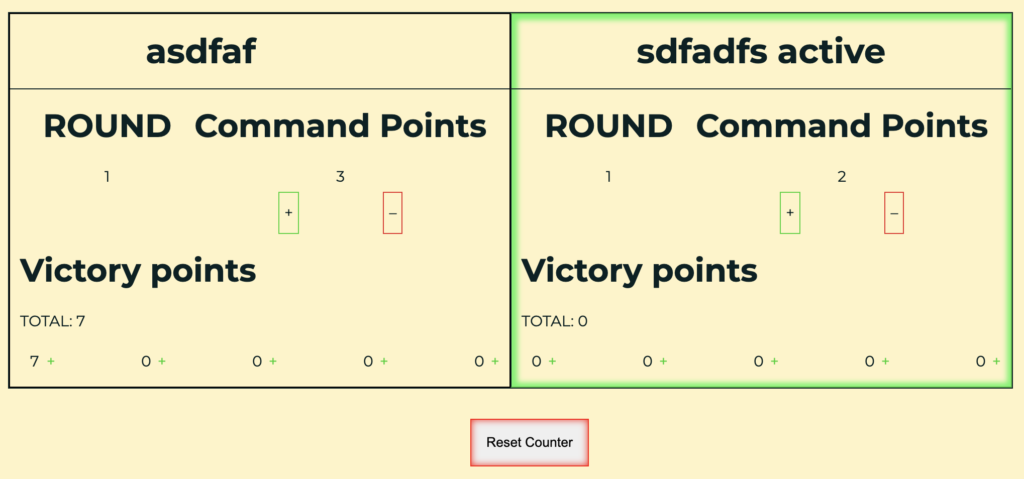
Continue adding VP’s CP’s (if necessary, of course) and when player 2 would reach 5th round and press space bar nothing would happen. You just won’t see any active players.1
And that’s about it. I continue to improve the wh40kounter and want to remind you to feel free to reach me out in case you don’t understand something or you’ve found some bugs or want to request some features.
- I think that it would be good idea to remove possibility to add CP/VP during that step. Let me know what you think about it ↩︎
